
Open the sample salon
See Nail Signature with a real-looking salon before you sign up.
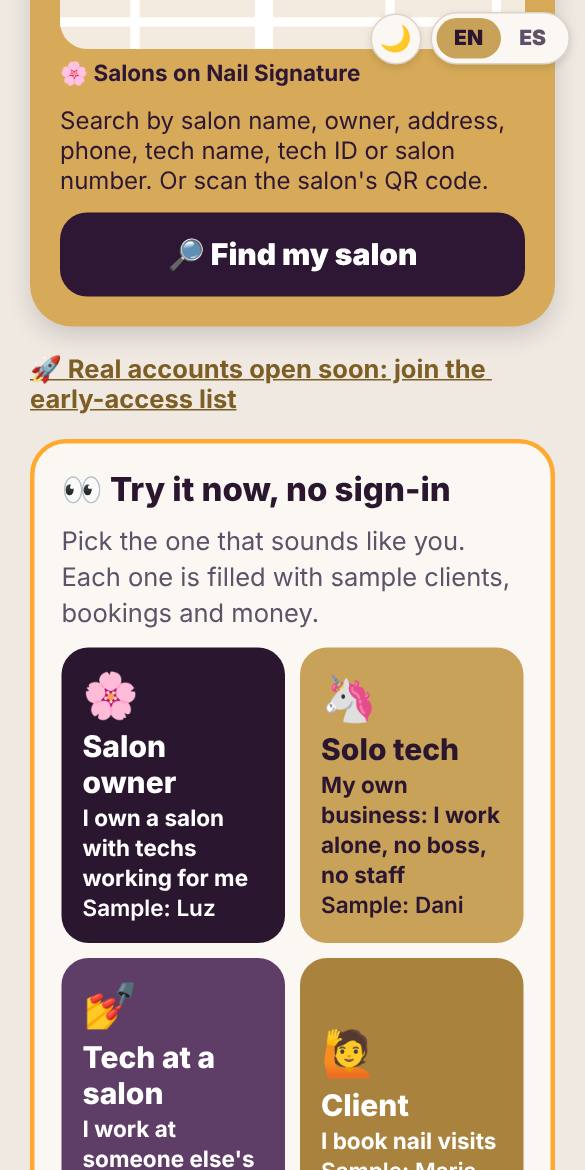
Step 1. Tap Try the demo, then pick Salon owner. No sign-in needed.
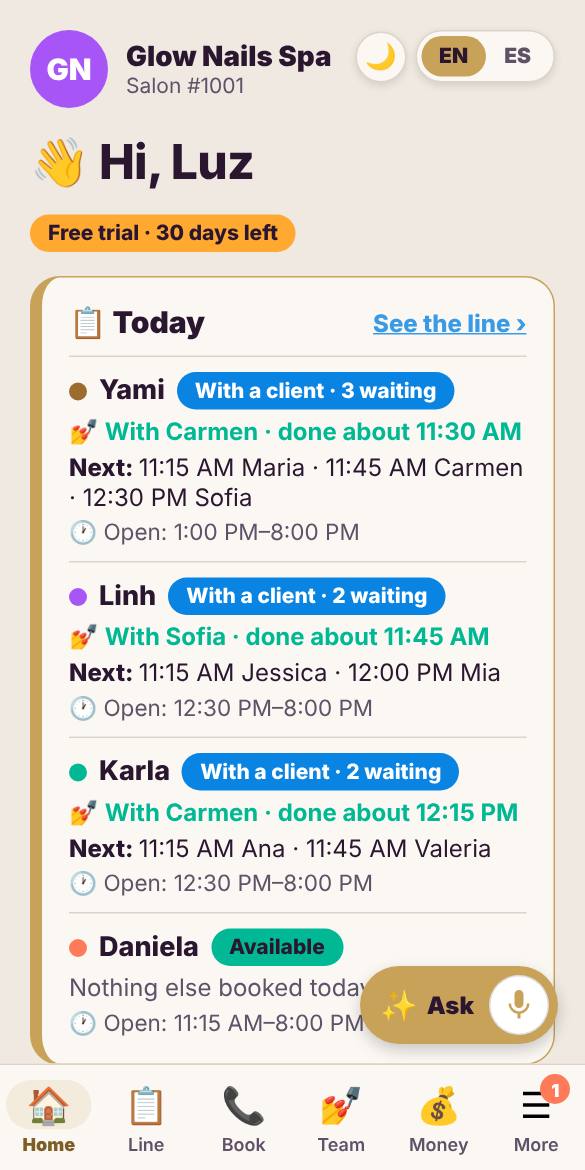
Step 2. Home shows today: who is with a client, who is waiting, and what to set up next.
Short step-by-step guides with real screens from the app. Try each one yourself in the sample salon, with no sign-in.
✋ Join the waitlist 👀 Try the demo
See Nail Signature with a real-looking salon before you sign up.
Step 1. Tap Try the demo, then pick Salon owner. No sign-in needed.
Step 2. Home shows today: who is with a client, who is waiting, and what to set up next.
Everyone waiting, by tech. One tap moves the line.
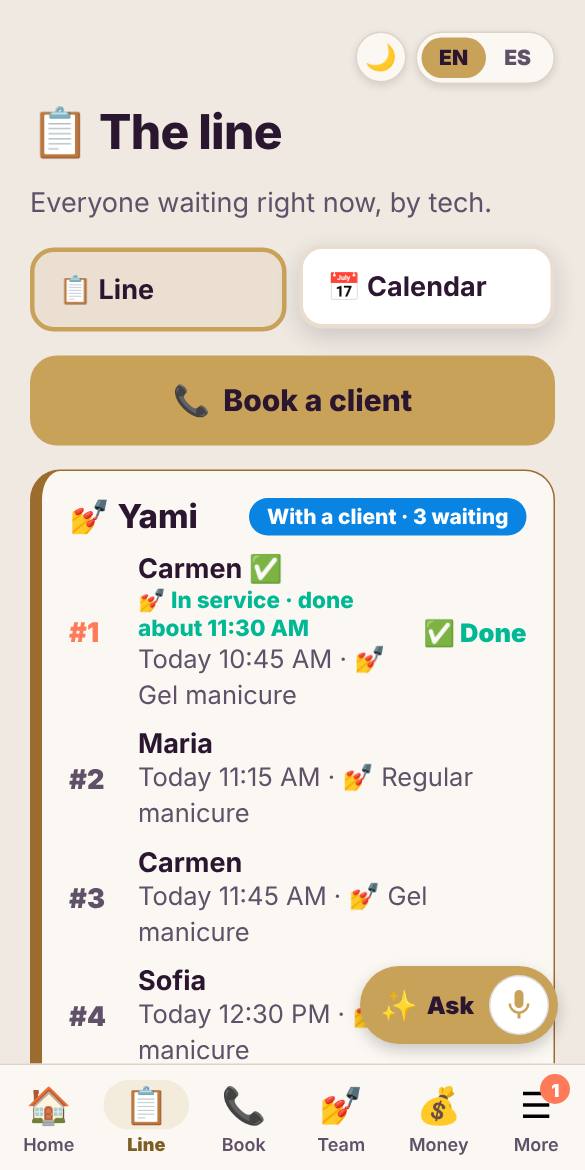
Step 1. Open The line to see each tech’s clients in order, walk-ins and bookings together.
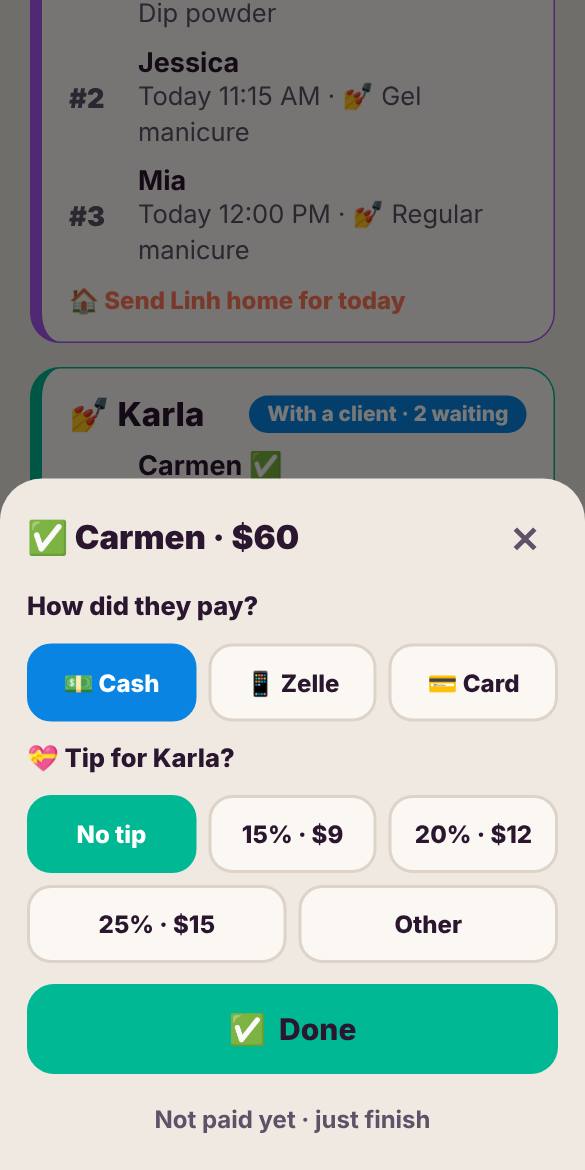
Step 2. Tap Done when a service ends. Add the payment and tip, and the next client moves up.
Add your manicuristas in seconds. They join free.
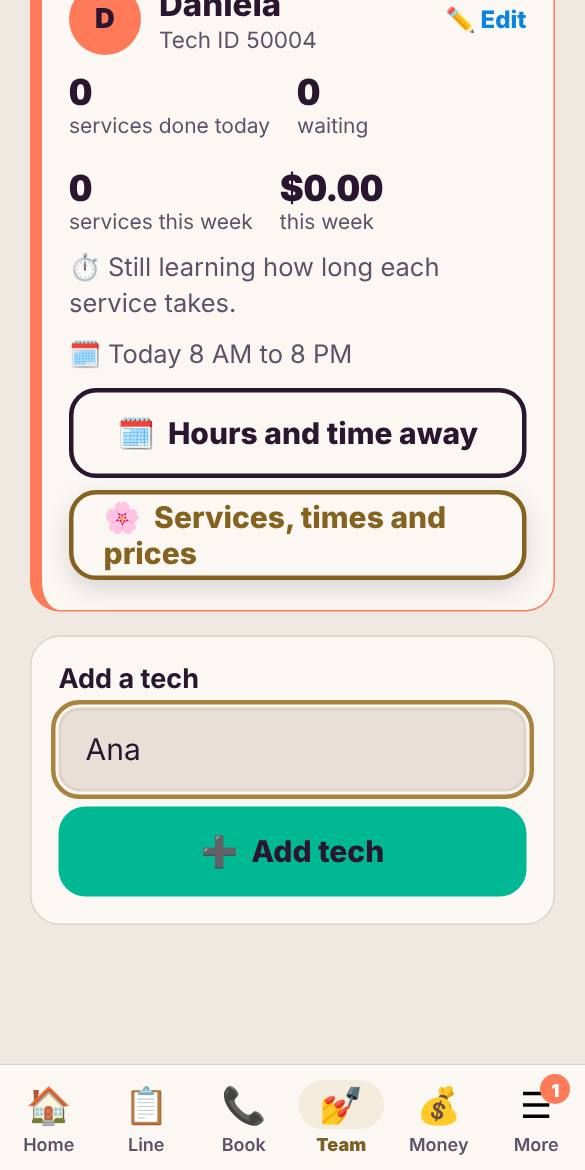
Step 1. Open Team, type the tech’s name and tap Add tech.
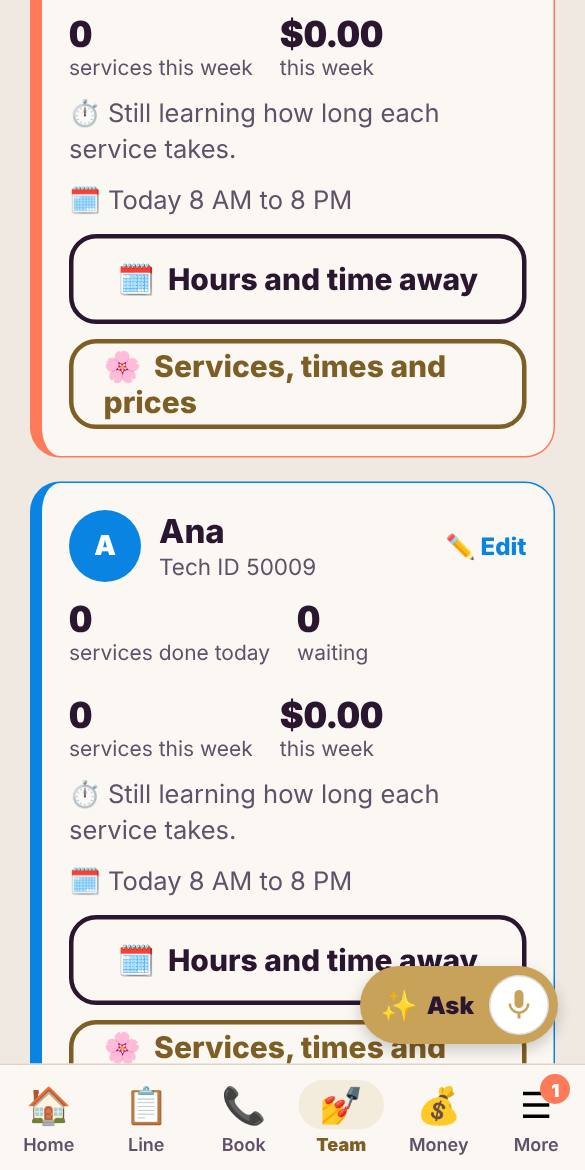
Step 2. She shows up on your team with her own line, hours and services. Invite her to sign in with her phone.
Service money adds itself. Add the rest in a few taps.
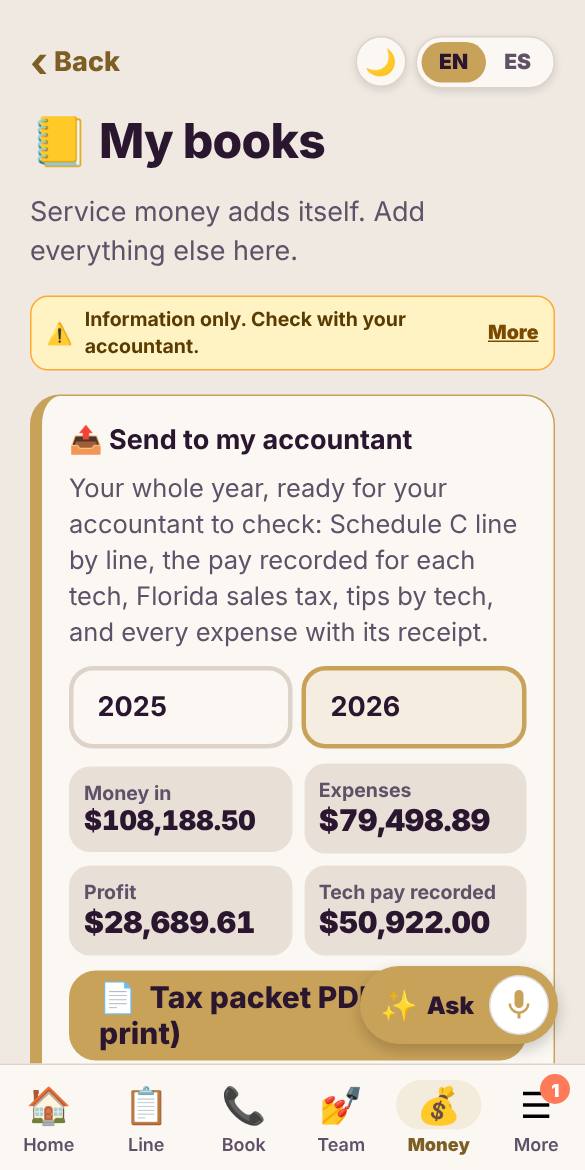
Step 1. Open My books. Money from services is already there.
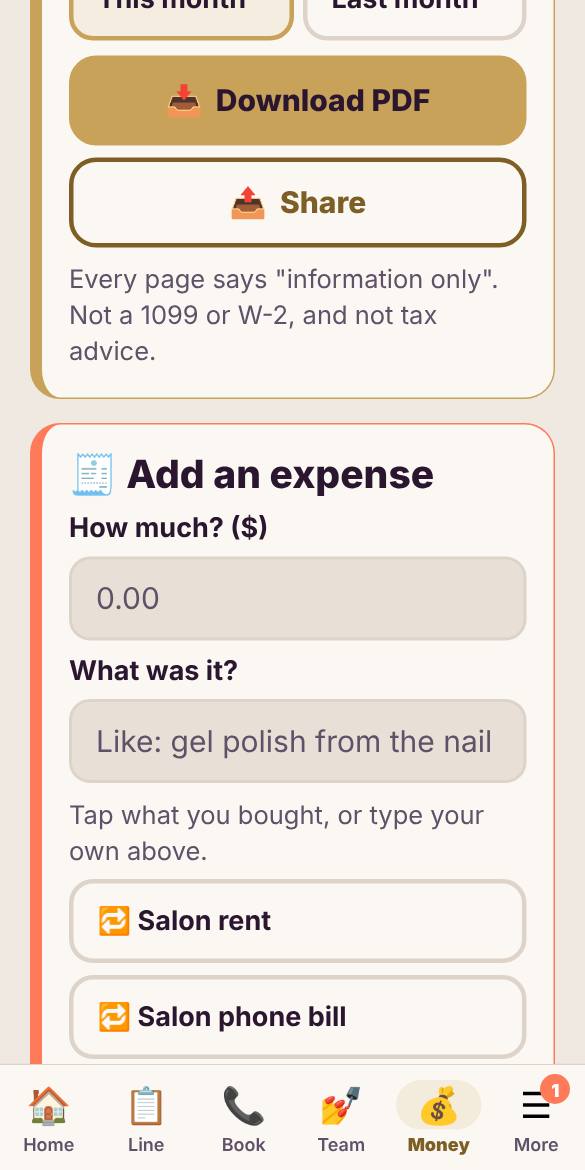
Step 2. Tap Add expense, snap the receipt or type the amount, pick what it was for, and save.
Your clients in order, and one big Done button.
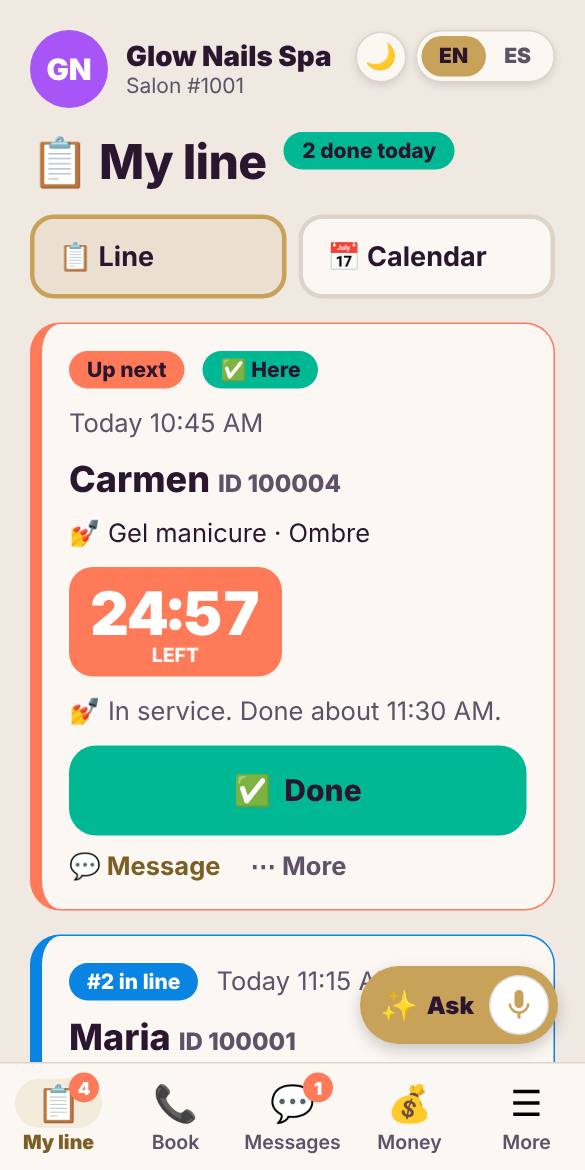
Step 1. My line shows who is in your chair and who is next.
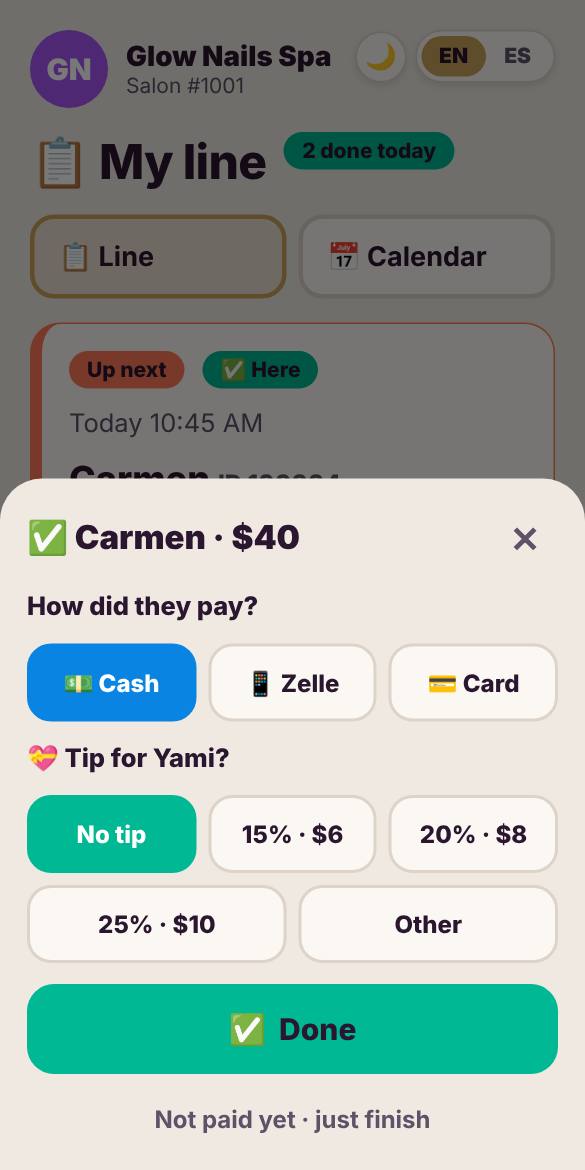
Step 2. Tap Done when you finish. Add how they paid and the tip, and your next client is told.
Only the clients whose time moves are told.
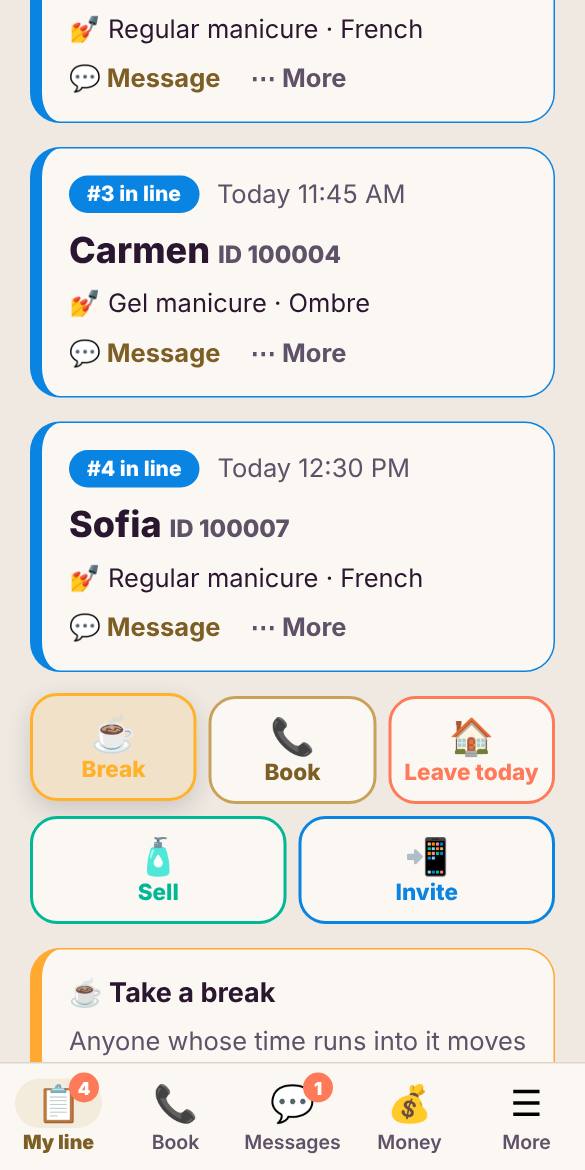
Step 1. Tap Break and pick how long. Your line shows a live "back in" countdown.
Wait anywhere and get told when to leave.
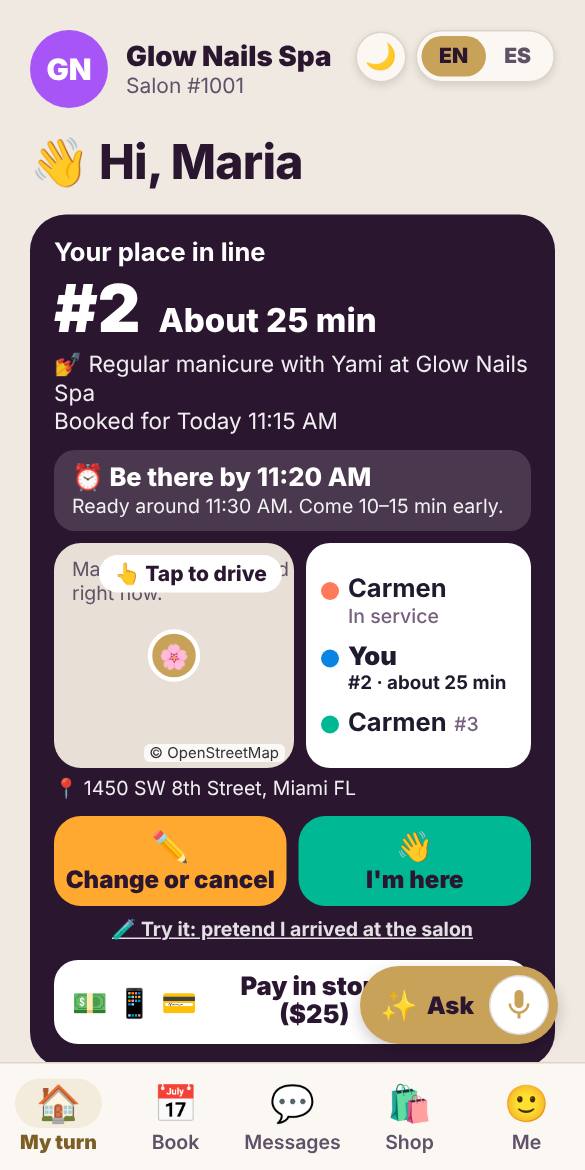
Step 1. My turn shows your place, about how long, and when to leave so you arrive on time.
For you or your family, in a few taps.
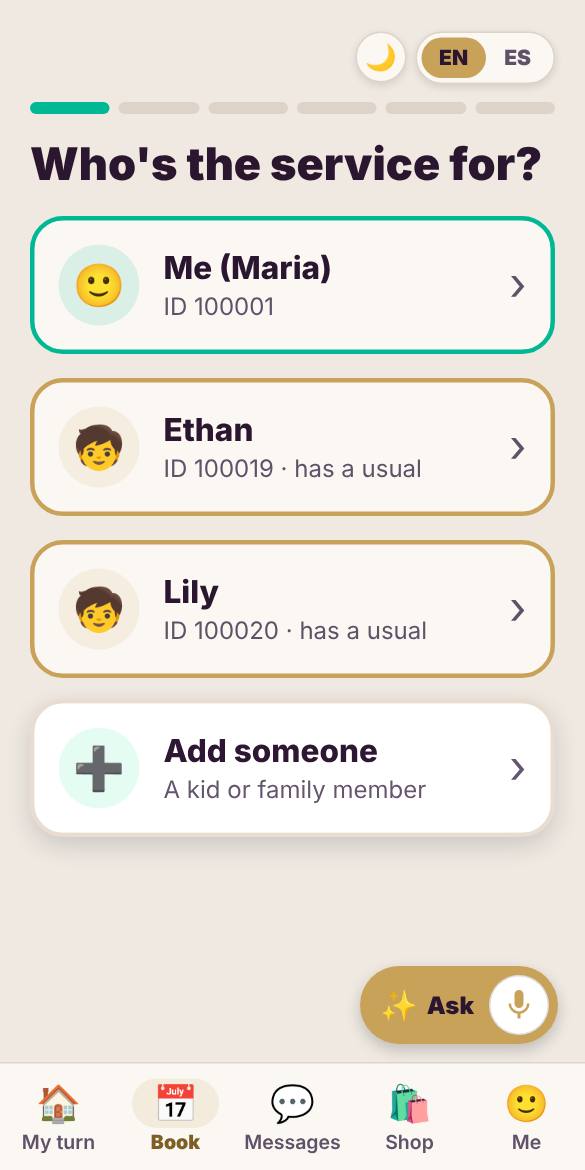
Step 1. Tap Book and pick who the service is for: you, or a kid or family member.
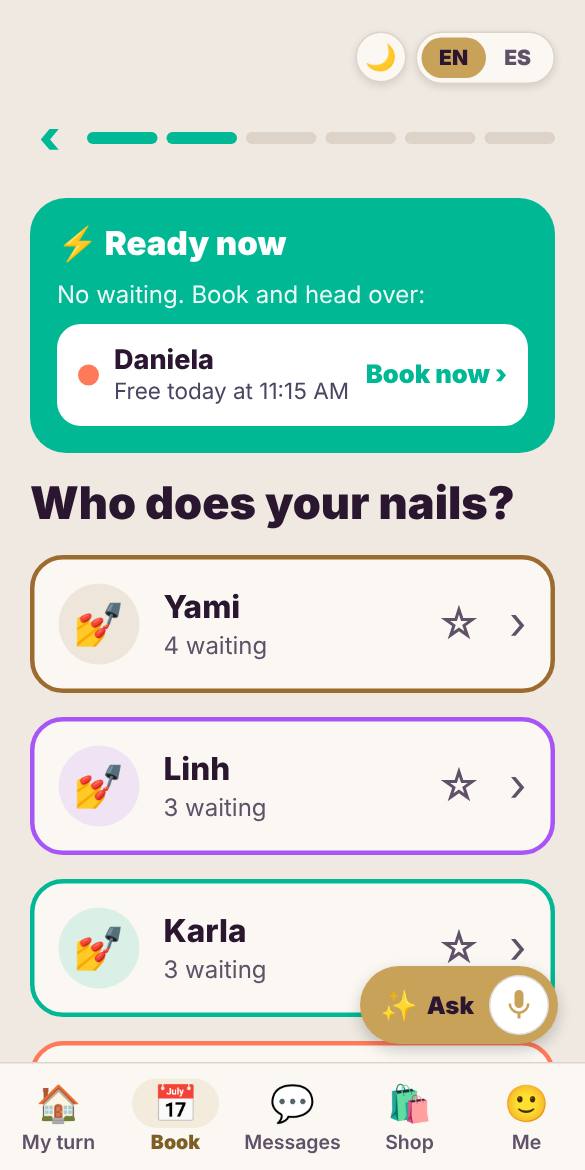
Step 2. Pick who does your nails (or whoever is free first), then the service and a time.
Join the waitlist, or try the sample salon now. No sign-in needed.